
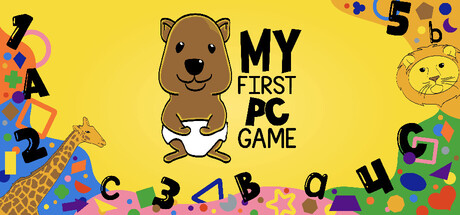
Developer: Your Future Heroes LLC






At a glance
2 Steam reviews rate it “Not enough reviews” (100% positive). Released on September 19, 2025 by Your Future Heroes LLC. Current price: $0.99.
Description
Interactive Color & Sound Learning Game
A delightful educational experience that combines visual learning, audio feedback, and interactive gameplay to help children and learners of all ages explore colors, sounds, and keyboard recognition.
Overview
An engaging educational game that teaches colors, sounds, songs and keyboard recognition through four interactive modes. Players can cycle through rainbow colors with audio feedback, animal images with names, sing along songs to sing and dance to, or explore keyboard keys with visual and audio responses. Perfect for young learners, the game combines visual learning with audio reinforcement to create a multi-sensory educational experience that makes learning fun and interactive.
Four Engaging Modes
🌟Rainbow Mode
Cycle through the classic ROYGBIV rainbow colors with intuitive controls
Each color plays its own unique sound when selected
Visual and audio learning - see the color name and hear its sound simultaneously
Perfect for teaching color recognition and sound association
🖼️ Animal Mode
Different animals to learn through the alphabet
Sounding each name for learning
Great for teaching vocabulary and animal recognition
⌨️ Alphabet Mode
Press any key to see it displayed on screen with a clean black background
Sounds to specific keys for interactive learning
Special key recognition - friendly names for punctuation and function keys
Ideal for keyboard familiarization and letter recognition
🌟Music Mode
Cycle through custom songs
Dance and sing along
🎯 Interactive Features
Intuitive Controls
Mouse: Left click to go backward, right click to go forward
Keyboard: A/D keys or arrow keys for navigation
Mode Switching: Hold both mouse buttons or both arrow keys simultaneously to cycle through modes
Text Size: Scroll wheel to adjust text size for accessibility
Fun Extras
Text Jump Animation: Press spacebar to make the text bounce with sound effects
Smooth Transitions: Beautiful animations between color and mode changes
Audio Feedback: Every interaction includes appropriate sound effects
🎓 Educational Benefits
Multi-sensory Learning: Combines visual, auditory, and kinesthetic learning
Color Recognition: Teaches rainbow colors with audio reinforcement
Keyboard Skills: Helps develop typing and computer literacy
Vocabulary Building: Custom content supports language development
🎨 Perfect For
Preschool and early learners
Special education classrooms
Speech and language therapy
Home learning environments
Anyone learning colors, sounds, or keyboard skills
🚀 Easy to Use
Responsive design works with any screen size
Accessible controls suitable for young learners
Transform learning into an engaging, interactive adventure where every click, key press, and color change becomes a moment of discovery! 🌟
Supported languages: english
Something wrong on this page? Let us know
Description and screenshots are provided by the publisher via the Steam Store page.
System Requirements
Windows
- OS: Windows 10
- Processor: Intel® Core 2 Duo
- Memory: 2 GB RAM
- Graphics: GTX 260 or equivalent
- DirectX: Version 9.0
- Storage: 1 GB available space
User Reviews
i enjoy the concept of the game. i have a young child myself and she enjoyed flipping through all the colors and words. i understand youll be making things more interactive in the future release.
my only concern i would say is for the alphabet section, its possible that i just did not figure out a way to make things normal. but the letters will only respond with Code Letter descriptions (Alpha for A, Bravo for B, etc.)
this would be a great feature for older kids but i do worry about the potential for younger children to misinterpret those callsigns as the given name and sound for the letters when trying to recite them?
Thank you for releasing this game. Having a flash card that my child can interact using keyboard on PC is very useful. My only nitpick is that: 1) there is no control tutorial shown inside the game, 2) the sound for booting the game is very loud, while the voice telling about the flash card is very soft
Games similar to My First PC Game


Additional Information
| Developer | Your Future Heroes LLC |
| Platforms | Windows |
| Age rating | None |
| Release date | September 19, 2025 |
| User reviews | 100% positive (2) |