

Developer: Poly Games


Player Statistics
Updated: November 8, 2026 8:03 PMAverage players
Players Online
Oblivity - Find your perfect Sensitivity player count by month
Oblivity - Find your perfect Sensitivity has 78 players in-game right now, and the 24-hour peak is 106. The peak so far in November 2026 is 106 players, 65 on average.
| Month | Average players | Change | Peak players |
|---|---|---|---|
| November 2026 (so far) | 65 | — | 106 |
From SteamStat's own samples of the Steam player count since tracking began. Change compares a month's average with the month before.
At a glance
Oblivity - Find your perfect Sensitivity has 78 players in-game right now, 74% of its 24-hour peak of 106. The record since SteamStat started tracking it is 106 players, set on November 8, 2026. 1,464 Steam reviews rate it “Very Positive” (82% positive). Released on March 24, 2022 by Poly Games. Current price: $9.99.
What players say about Oblivity - Find your perfect Sensitivity
Oblivity is widely regarded as a precise and effective tool for finding optimal mouse sensitivity, particularly for players who prefer a one-time purchase over subscription models. While users appreciate its clean UI and comprehensive warm-up routines, some report issues with optimization and note that the sensitivity finder requires a significant time commitment to produce accurate results.
What players like
-
Highly accurate sensitivity finder 22 of 39 reviews
Many players find the core sensitivity finding feature superior to competitors, noting it uses data-driven metrics to provide accurate settings for various games.
-
One-time purchase model 11 of 39 reviews
Users frequently praise the lack of subscriptions or battle passes, viewing the one-time payment as a better value proposition compared to subscription-based alternatives.
-
Useful warm-up routines 7 of 39 reviews
Players appreciate the inclusion of specialized training for wrists, eyes, and arms, which helps them prepare effectively before matches.
-
Clean and intuitive UI 6 of 39 reviews
The interface is generally described as simple, aesthetically pleasing, and more user-friendly than other popular aim trainers.
What players criticise
-
Performance and optimization issues 8 of 39 reviews
A segment of users reports experiencing lag, stutters, and slow loading times, with some finding the software resource-heavy when running in the background.
-
High time commitment required 6 of 39 reviews
Multiple reviews warn that the sensitivity finder is not a quick fix; it requires patience and consistent daily sessions to actually be effective.
-
Price versus value concerns 4 of 39 reviews
Some users feel that if one does not need the advanced sensitivity finding features, the price is too high for a standard aim trainer.
Best for: Players who are serious about finding their perfect sensitivity and prefer paying once rather than dealing with subscription-based aim trainers.
Not for you if: Players with lower-end hardware who are sensitive to performance stutter or those looking for a free, quick-fix solution without putting in the time to train.
Oblivity - Find your perfect Sensitivity — questions players ask
- Is the performance well-optimized?
- Reviews are mixed. While some find it smooth, several users report lag, stuttering, and slow loading times, particularly on lower-end systems.
- Do I need a subscription?
- No. The software is a one-time purchase, which many users prefer over the subscription models found in competing products.
- Does the sensitivity finder work immediately?
- No. The consensus is that you must dedicate significant time, often requiring consistent, multi-day training sessions for the algorithm to produce accurate results.
Summarised automatically from 39 English Steam reviews — helpful and recent, positive and negative — on August 29, 2026.
Description
Aim Trainer:
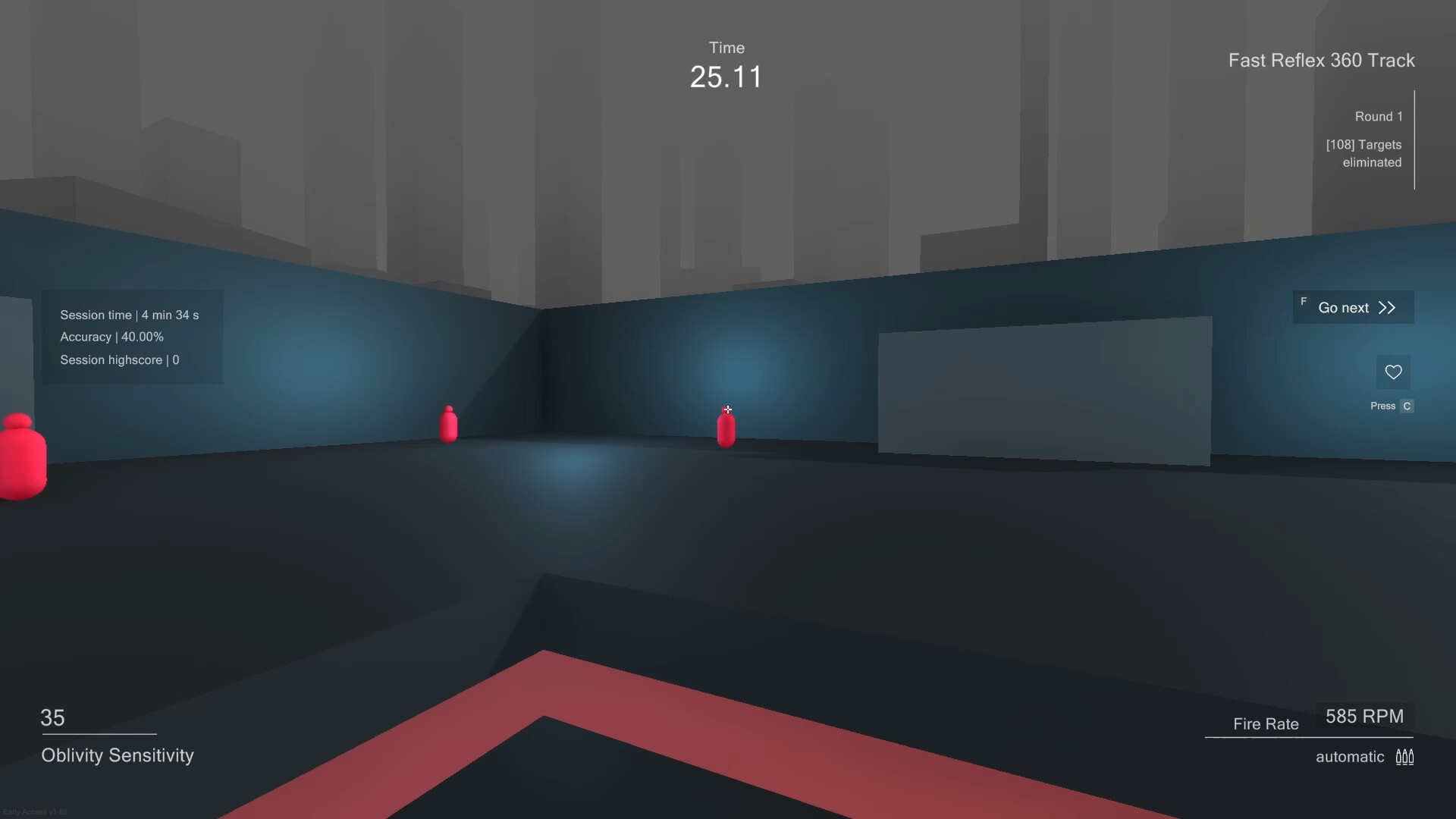
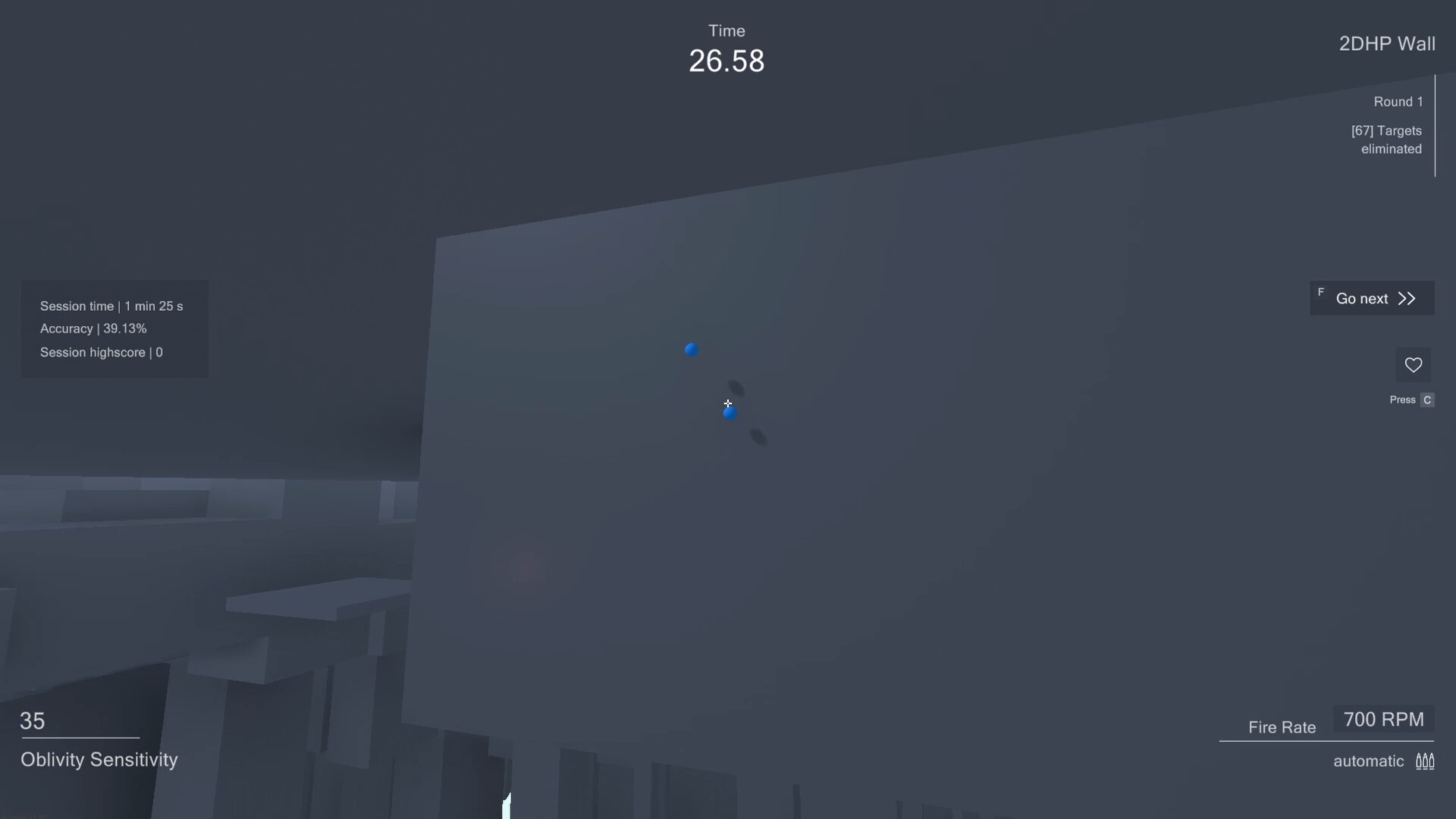
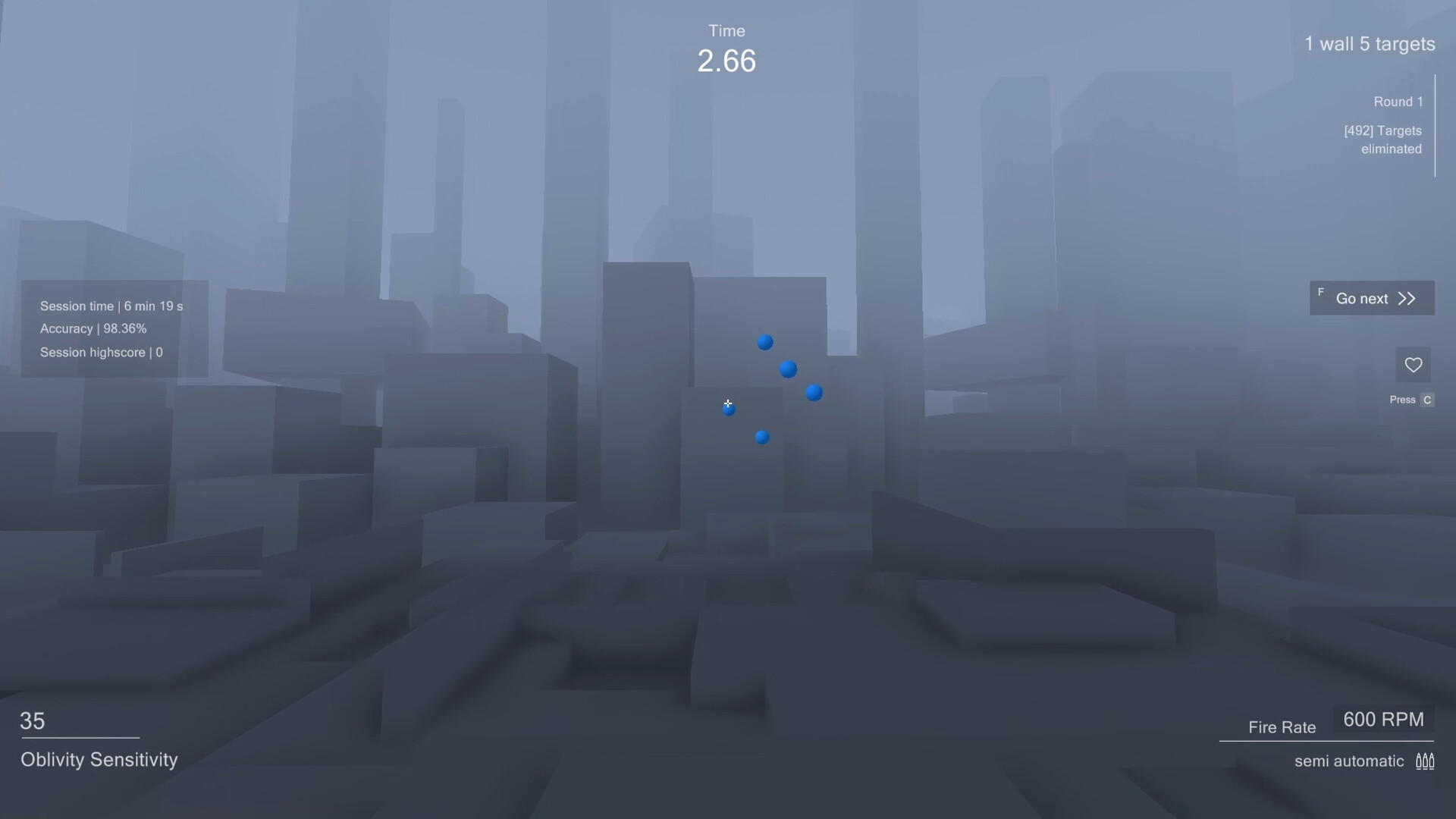
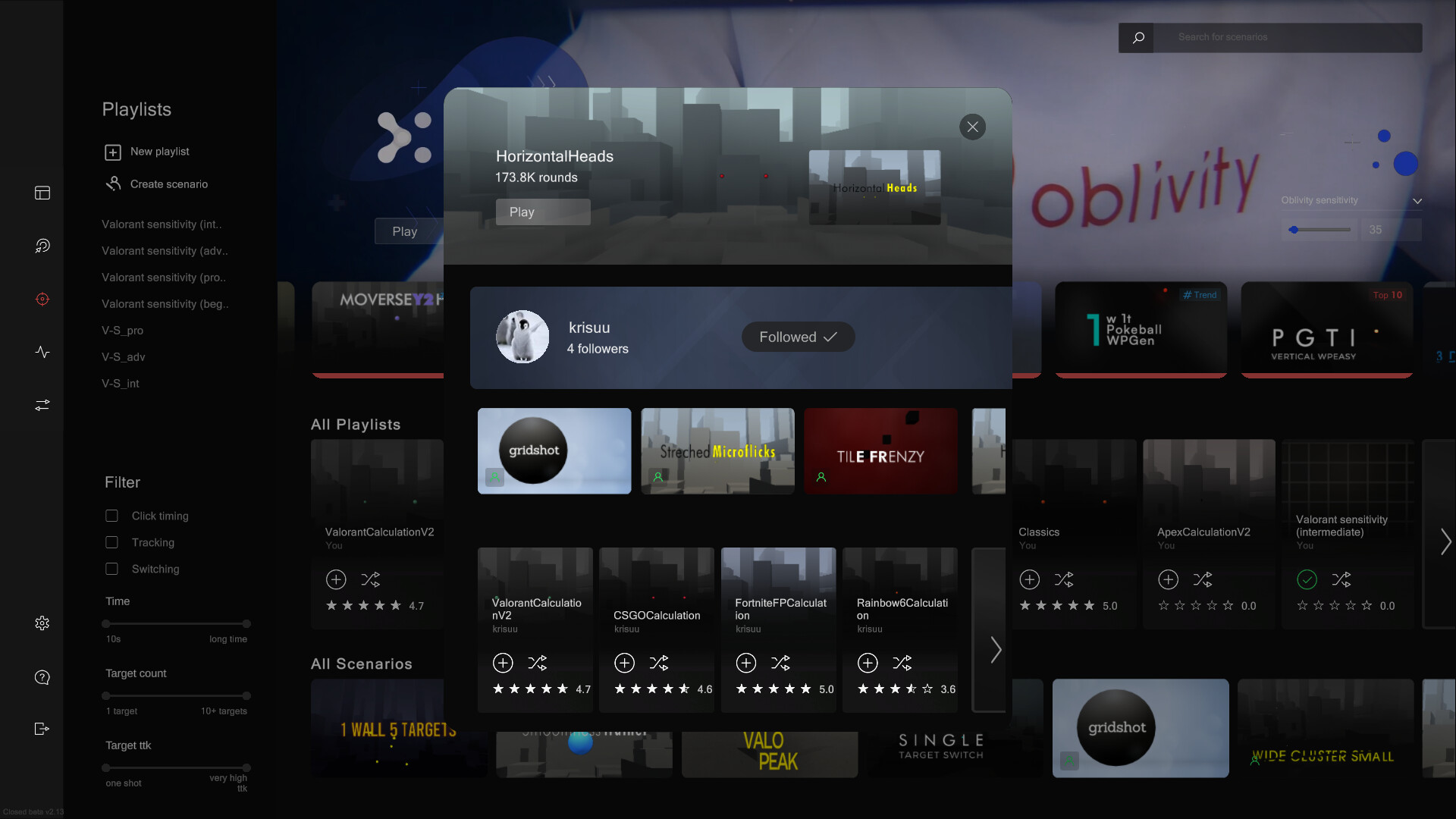
In Oblivity's trainer you can try out your new mouse sensitivity right away. You will find anything in the continuously growing online library of scenarios and playlists. How high can you climb the leaderboards against other players and your friends? You can also create scenarios yourself, upload them and share them with the Oblivity community. Special aim training technies such as mouse pathing or metronom aiming are supported as well.
Sensitivity Finder:
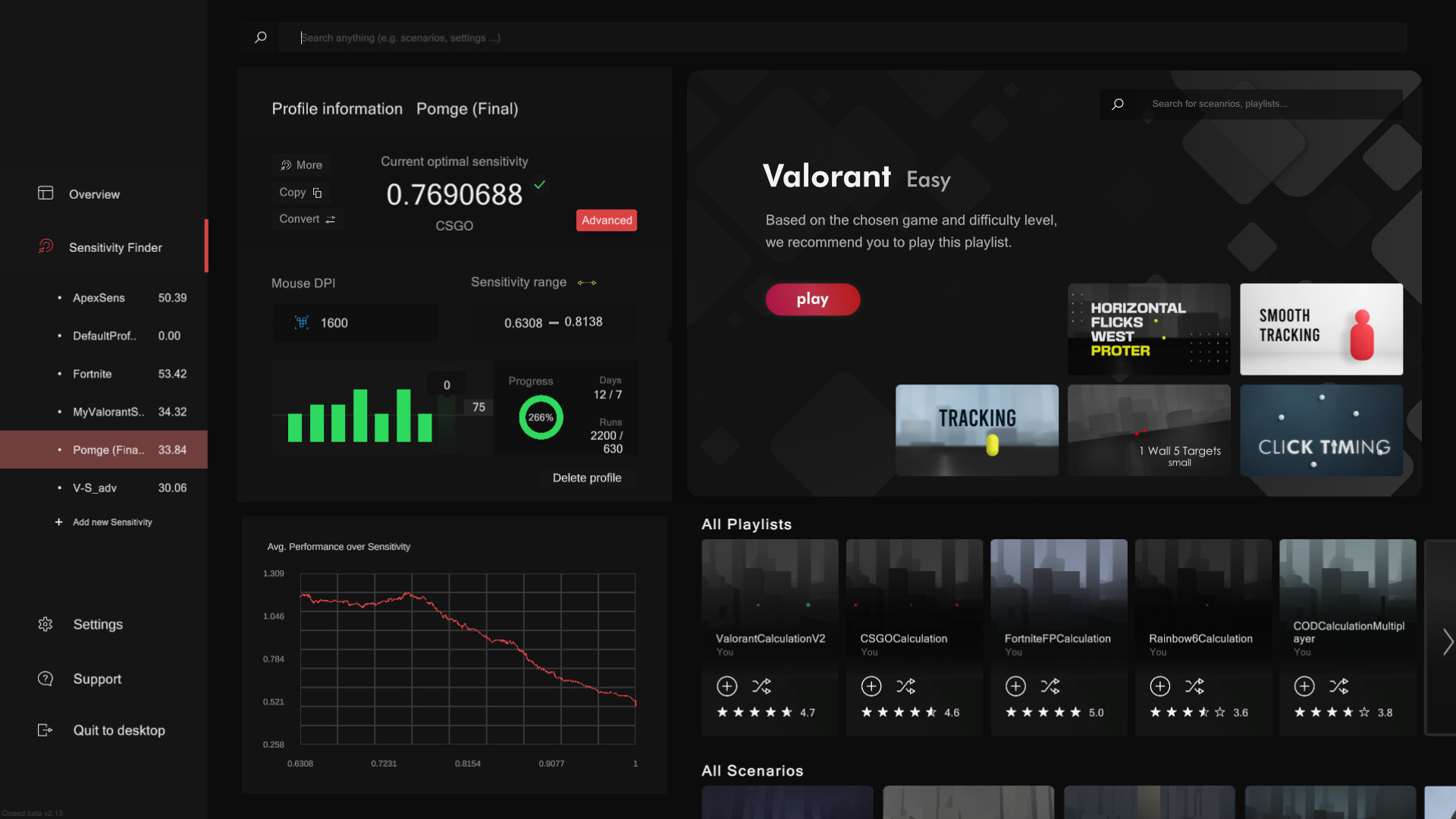
The sensitivity finder is a unique feature Oblivity is especially known for. It will help you to find an optimal mouse sensitivity for your favourite game!
You play a selection of scenarios matching your selected FPS game.
Each round your mouse sensitivity changes. Oblivitys algorithm tracks your performance and mouse movement data to determine the sensitivity you perform best with. Over a longer playtime, Oblivity can collect enough data to show you exactly how well you perform on different mouse sensitivity levels.
Smart Play:
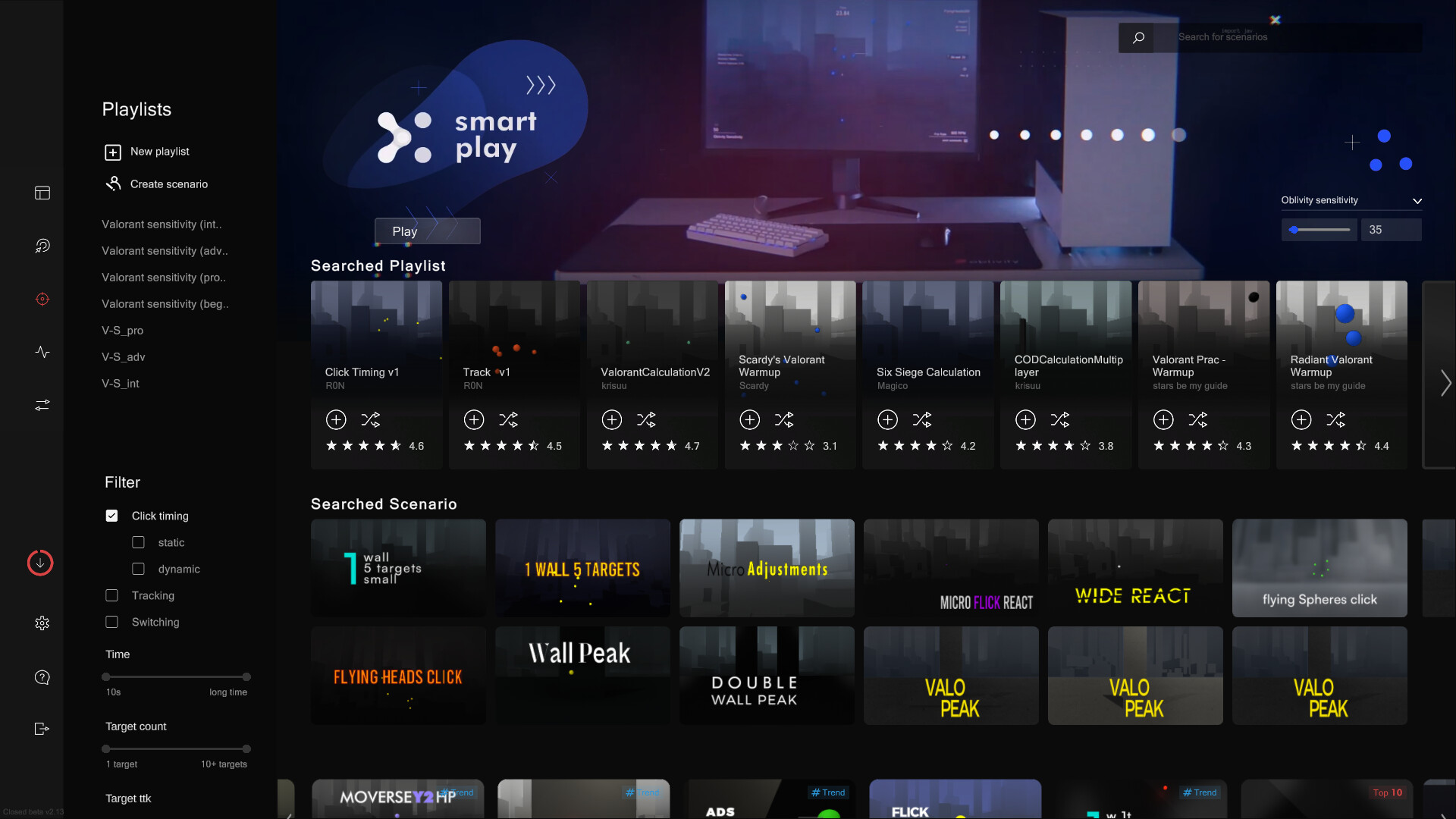
Smart Play is the perfect place to discover new scenarios. Just click "Next" and we will pick the following scenario based on your liking and preferences.
Analysis:
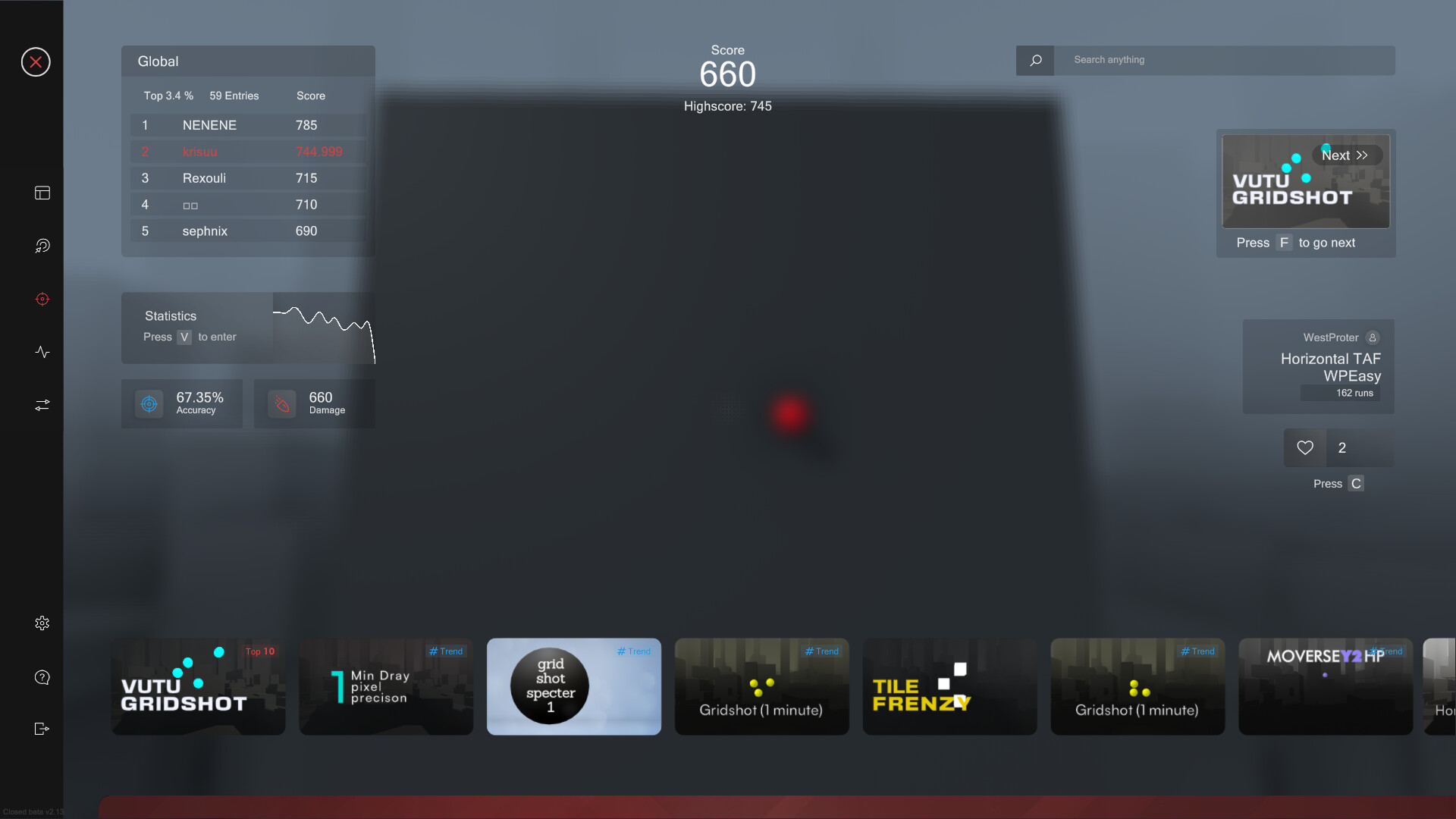
After your training session, you can immediately view the statistics of your runs in the analysis section. Oblivity provides as much data as possible to show where you have weaknesses and do aiming mistakes. This includes the usual information like accuracy, mouse speed and score. But you will also see data such as the deviation from the ideal aiming path, overshoot, undershoot or aiming smoothness.
Replay:
Every run can be rewatched with the replay tool. The timeline shows, where you did which mistake. Be it over- undershooting the deviation or your overall performance. The playback speed can be adjusted to any level. You can also turn on onscreen indicators that show your aim line compared to the optimal aiming path.
Converter:
Oblivity also offers a converter. It is not only intended to convert your new Oblivity mouse sensitivity to that of your favorite game. You can very accurately convert the sensitivity of all supported first person shooters to that of any another game.
Options:
Oblivity is fully customizable! You can adjust anything to create your perfect, individual aim training experience. To name some examples: Change any ingame colour, create your own crosshair, import your own sound effects and customize the ingame HUD. Of course you can also set all technical values. Oblivity supports different FOV types, each keybind can be changed, different monitor resolutions and aspect ratios are supported.
Supported languages: english
Something wrong on this page? Let us know
Description and screenshots are provided by the publisher via the Steam Store page.
System Requirements
Windows
- OS: Windows 10
- Processor: Intel Core i3
- Memory: 4 GB RAM
- Graphics: GTX 560
- Storage: 600 MB available space
- Additional Notes: As long as your pc isn't a potato you shouldn't have any performance issues.
- OS: Windows 10
- Processor: Intel Core i5
- Memory: 6 GB RAM
- Graphics: GTX 960
- Storage: 1 GB available space
- Additional Notes: As long as your pc isn't a potato you shouldn't have any performance issues.
User Reviews
it is really a good alternative for aimlabs and its a single payment. instead of multiple subscription payments
Didn't even get to try it, so many questions, issues recognizing dps, slow ... basically does not live up to the name. installed it, so i could quickly find some info and improve my aim but after 15 minutes or so answering questions, creating profiles, and seeing the review i couldn't continue. uninstalled and asked for refund
.
pretty cool
nice thing, need more optimization though
Games similar to Oblivity - Find your perfect Sensitivity




Additional Information
| Developer | Poly Games |
| Platforms | Windows |
| Age rating | None |
| Release date | March 24, 2022 |
| User reviews | 82% positive (1464) |
User Reviews
Genres
Tags
Features
Active Players
Profiles with the most playtime in the last 2 weeks


